Turn a GEDCOM file into a printable ancestor chart
This is the job HexMobius Family Charts is built for. You have a GEDCOM file exported from a genealogy program or an archive. You want one finished, printable chart of the ancestors of one person — not a screen view of a database. The chart engine reads the file in your browser, arranges three to five generations of ancestors around a starting person, and exports a PDF you can print or take to a print shop.
Records are processed locally in your browser. The GEDCOM file, names and dates are never uploaded to us, and no family data is sent to analytics.
What the engine accepts
- GEDCOM 5.5, 5.5.1 and 5.5.5 files up to 5 MB and 5,000 people.
- Ancestor charts only — not descendant charts, and not an all-relatives graph.
- Three to five generations, with parent-branch selection when a line is uncertain.
- The recorded birth and death dates. When a file records only a christening, baptism, burial or cremation date, that date is printed with its own label (“chr.”, “bap.”, “bur.” or “crem.”) instead of being dropped or shown as a birth or death the file never recorded.
- A title, an optional dedication and an ink palette for the finished sheet.
What it does not do
- It does not import photos, notes or sources, and it does not verify genealogy.
- Direct PDF export embeds the bundled Noto Sans font, which covers Latin letters (including accented characters) as well as Cyrillic and Greek. A name written in another script — for example Chinese, Arabic or Hebrew — stops the export with an error instead of being replaced or dropped, and that error names the person and the characters it could not print; browser printing can use the fonts installed on your own computer.
- It is not a replacement for a genealogy program, an archive or professional research.
See the actual output before you decide
The public example is generated from a fictional family, not from customer records, and you can open every file:
Example print pack (PDF)Example chart image (PNG)Fictional GEDCOM input
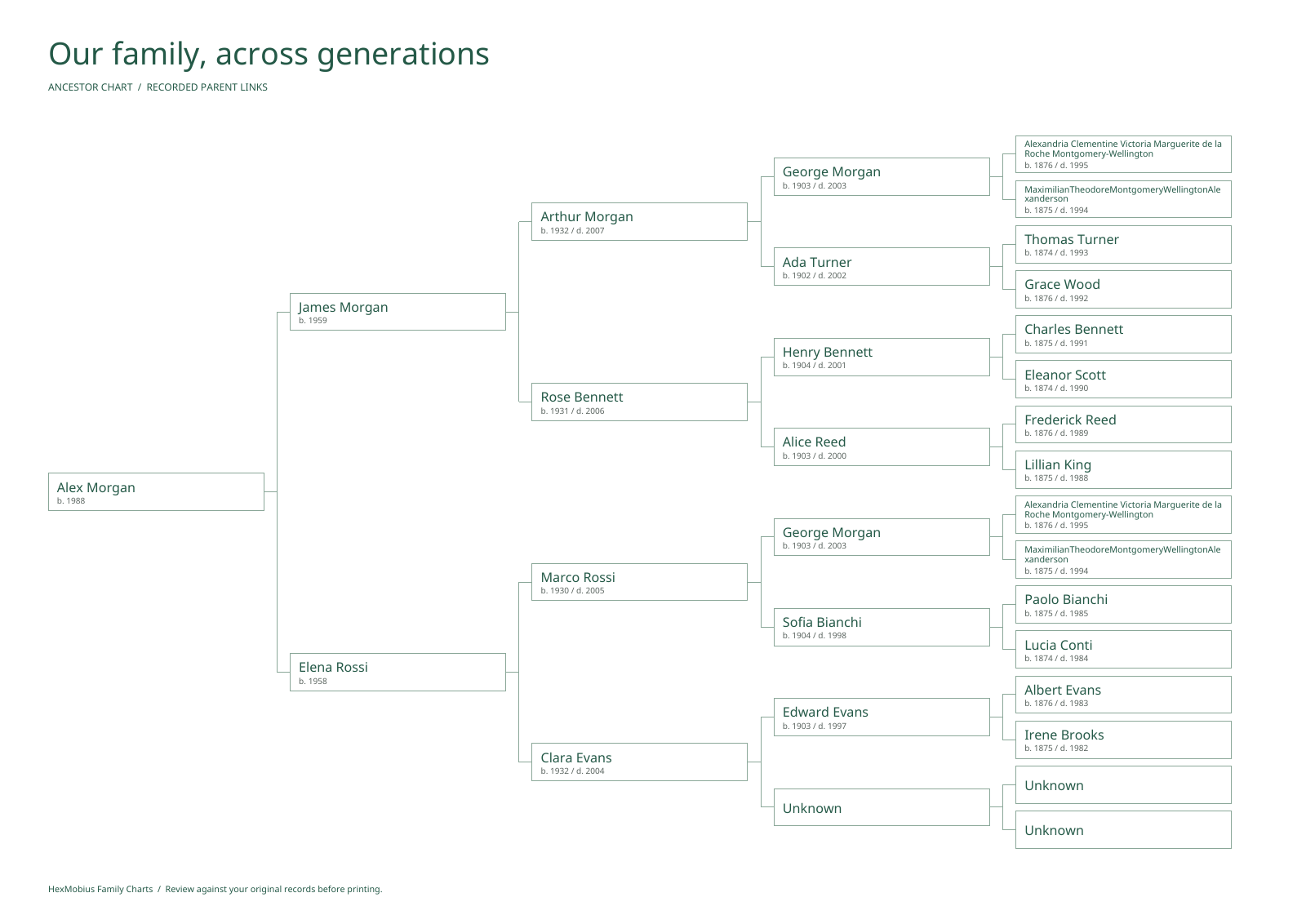
Three poster styles are available: Archive for a clear record of each branch, Heirloom for a framed keepsake with a dedication, and Fan for five generations arranged in a half circle.
Printing it yourself
Poster output is A3 or A2. If you only have a home printer, the same chart can be exported as full-size overlapping A4 sheets with an assembly map, matching row and column labels, trim marks and a 50 mm scale check. The separate guide covers that path: printing a family tree on A4 sheets.
Questions
Is importing my records free?
No. The public preview, the example chart and these descriptions are free; importing your file, editing a chart, saving a project and exporting PDFs require paid access. Access is a one-time US$19 payment for 365 days on your own devices.
How large a file can I import?
Up to 5 MB and 5,000 people per file. Very large trees usually need branch selection, and the generator does not accept GEDCOM 7.0 or non-standard dialect extensions.
Can I keep the PDF after access ends?
Yes. Exported files remain yours. Access covers 365 days of using the workspace; it does not expire the PDFs you already downloaded.
See what paid access includes · View the example chart
Questions? [email protected]