Print a family tree at home on A4 sheets
Most people who build an ancestor chart do not own a plotter and do not want a print-shop trip for a first draft. The A4 export path exists for exactly that: the chart is cut into full-size, slightly overlapping A4 sheets that a normal home printer can handle, and the exported PDF includes everything needed to tape them back into one sheet without guessing.
Chart records stay on your device: the GEDCOM file is read in your browser and nothing about your family is uploaded or sent to analytics.
What the A4 export contains
- Full-size overlapping A4 sheets, so no content is lost at the printer margins.
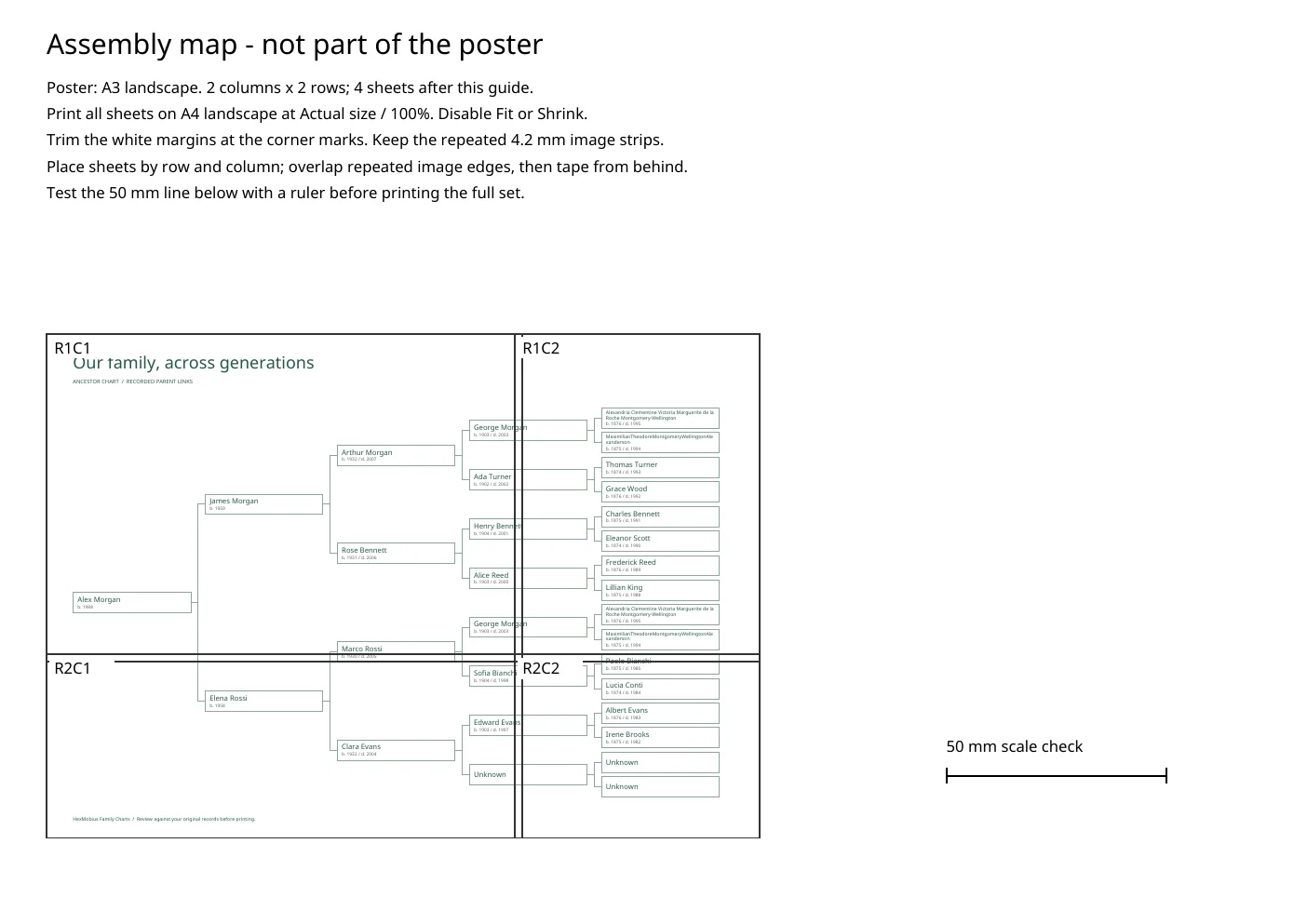
- An assembly map showing where each sheet belongs.
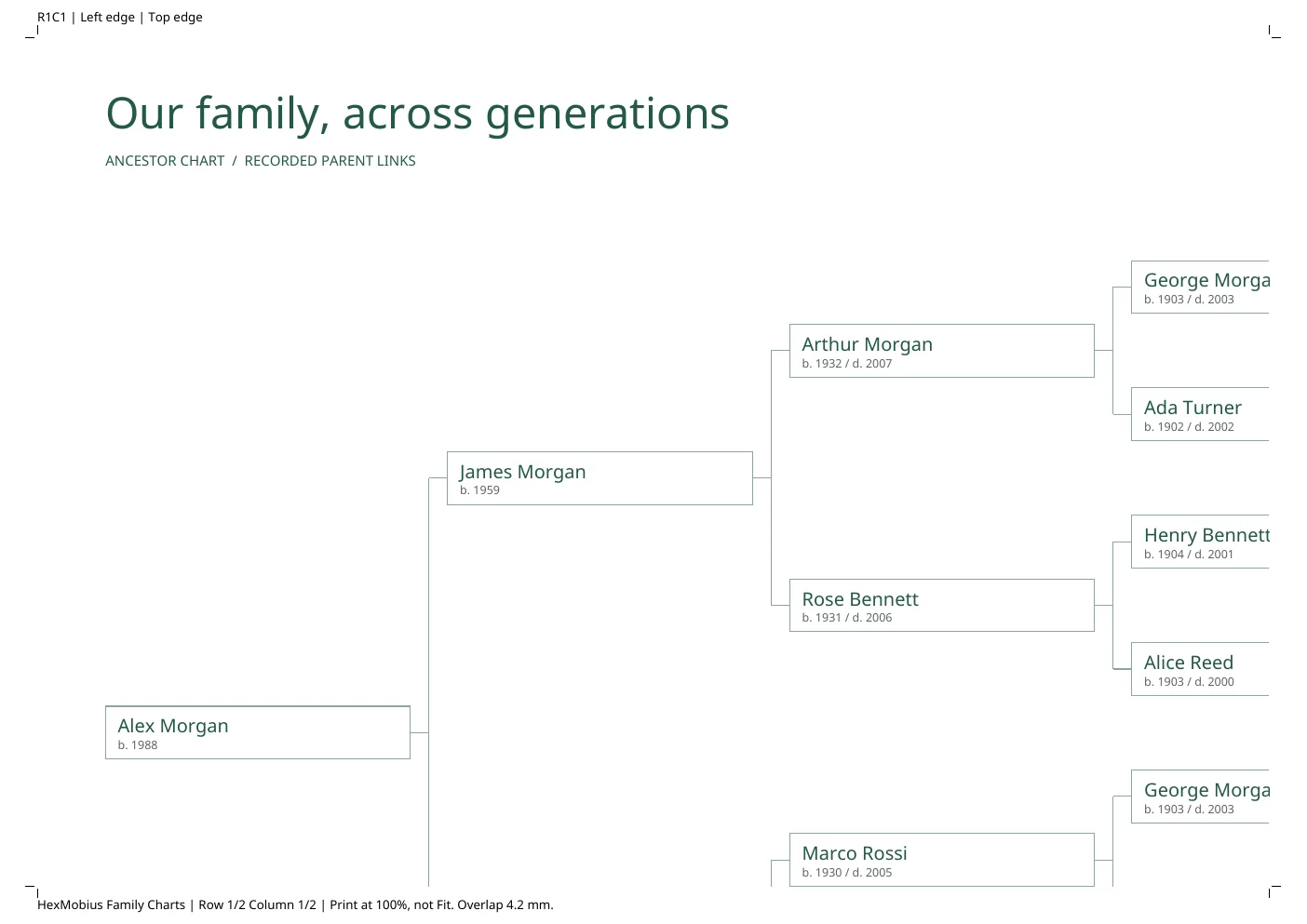
- Matching row and column labels on each sheet and on the map.
- Trim marks for cutting the overlap straight.
- A 50 mm scale check, so you can confirm the print scale with a ruler before committing to the whole chart.
How many A4 sheets a chart takes
The sheet count follows the poster size, not the number of generations. Both formats are cut into full-size A4 landscape tiles printed at 100%, plus one assembly map page at the front of the PDF:
| Chart | Printed size | A4 sheets | PDF pages |
|---|---|---|---|
| A3 poster | 420 × 297 mm | 4 | 5 (4 sheets + assembly map) |
| A2 poster | 594 × 420 mm | 9 | 10 (9 sheets + assembly map) |
There is deliberately no single-A4 output. A three- to five-generation ancestor chart does not fit on one A4 sheet at a size where names stay readable, and shrinking it to fit is what makes home-printed trees illegible. Two A4 sheets side by side are one A3 sheet, so four tiles give you the A3 chart; the 4.2 mm overlap is repeated on the neighbouring tile so each join can be cut straight and aligned.
The free example pack above is the A3 case: four A4 sheets plus the assembly map, five pages in total.
What the pages look like
Both images below are rendered from the same free example pack, so what you see is what the export produces — no separate mock-up.
Poster instead of tiles
If you can reach a print shop, or your printer accepts A3, the same chart exports as a single A3 or A2 poster in one of three styles — Archive, Heirloom or Fan. Five-generation fan charts read best at the larger formats; the A4 tile path is a convenience, not a large-format substitute.
Check the real files first
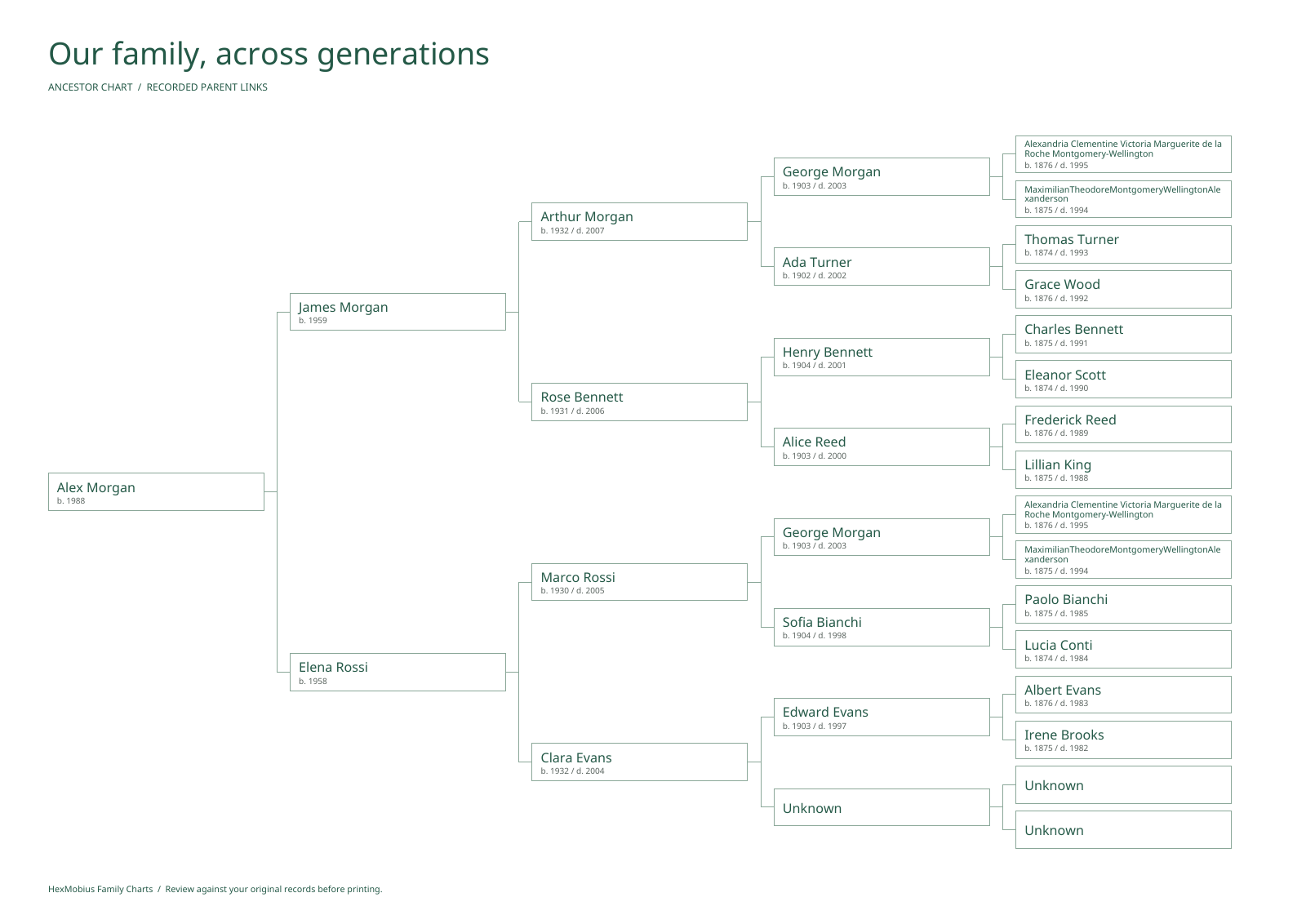
The example pack is generated from a fictional family and is the same structure you get when you export your own chart:
Example print pack (PDF)Example chart image (PNG)Fictional GEDCOM input
Boundaries worth knowing
- Print output is not certified: paper size, margins, scaling and colour depend on your printer, driver settings and paper.
- Use the scale check and print at 100% (no “fit to page”), otherwise the tiles will not line up.
- Small labels stay readable only if the printer holds fine detail; check one corner sheet before printing the set.
- Genealogical accuracy depends on the GEDCOM file you import — the tool does not verify your research.
Questions
Do I need paid access to export the A4 sheets?
Yes. Access to the workspace is a one-time US$19 payment for 365 days and covers importing, editing, saving and exporting. The downloadable example pack above is free and needs no account.
How do I turn a GEDCOM file into the chart in the first place?
The import-to-chart job is described on our GEDCOM-to-ancestor-chart guide: GEDCOM 5.5, 5.5.1 and 5.5.5 files up to 5 MB and 5,000 people, three to five generations of ancestors, then export.
How many A4 sheets will my chart use?
A3 uses four A4 sheets plus one assembly map page; A2 uses nine sheets plus one assembly map page. The count depends on the poster size, not on how many generations you chart.
Can I print the tiles on letter paper?
The export targets A4. Letter paper is close but not identical, so tile alignment is not guaranteed; use the 50 mm scale check to confirm before printing a full set.
See what paid access includes · View the example chart
Questions? [email protected]